Applying a Regex to Data Model or Resource Proxy Names
You can apply a regular expression (Regex) to data model or resource proxy classes using the OpenAPI Wizard Regex dialog shown in the following image.
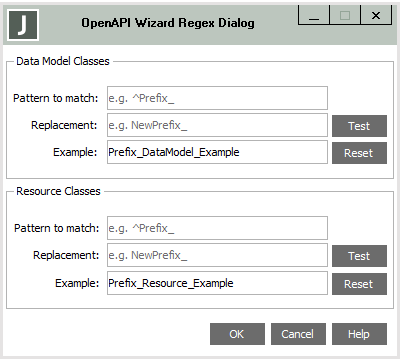
You can apply regular expressions to the data model classes or resource classes, or to both data model and resource classes.
To apply a regular expression to proxy classes in the Data Model Classes or Resource Classes group box
-
In the Pattern to match text box, specify the Regex pattern to match.
-
In the Replacement text box, specify the Regex replacement pattern.
-
If you want to test the effect of the Regex replacement, click the Test button so that the effect is applied to the Example text box.
-
If you want to reset the Example text box back to its original value, click the Reset button.
-
When you are satisfied with the regular expression or expressions, click the OK button to update the data model or resource class names, or both.
2020.0.01 and higher